


Home › Free guides › Battery replacement
FREE REPAIR GUIDE

Ford F-150
Battery replacement.

A little guidance for your next fix. Follow these steps to battery replacement for your Ford F-150.

Ford F-150 repair area
DIFFICULTYEasy
ESTIMATED TIME~30 min
TOOLS10mm & 13mm socket, extension
POTENTIAL SAVINGS$60–120Labour estimate · varies

Know what you’re replacing.

A slow crank, clicking, or a "battery saver active" message usually means your F-150 needs a new battery. On the 13th-gen F-150 the battery is under the hood and the swap takes about 30 minutes. Trucks with Auto Start-Stop need an AGM battery.

What you’ll need.

Battery for 2015–2020 F-150Commonly group 65; AGM (often H7/94R) with Auto Start-Stop — confirm by engine · ~$150–280
View on Amazon →
Battery terminal brushCleans corrosion · ~$6
View on Amazon →
Socket set with extension10mm and 13mm cover most F-150 battery bolts · ~$25
View on Amazon →

As an Amazon Associate, RepairAI may earn from qualifying purchases. Confirm fitment for your exact year, engine and trim before buying.

A little preparation first.

  • Check the label on your current battery and match the group size and type (AGM vs flooded).
  • Some trucks have a second (auxiliary) battery — this guide covers the main one.
  • Engine off, key away from the cab, glasses and gloves on.

One step at a time.

1Open the hood and find the battery
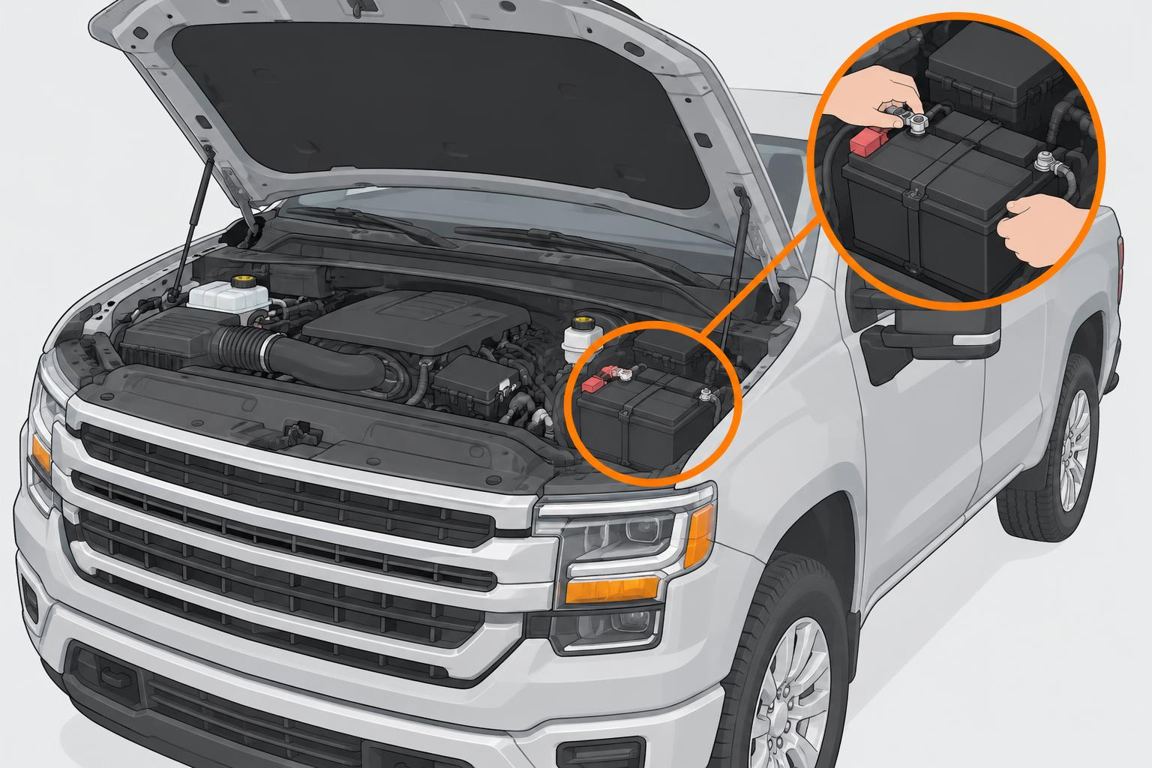
Open the hood and find the battery

The battery is at the front of the engine bay. Remove any plastic cover over it.
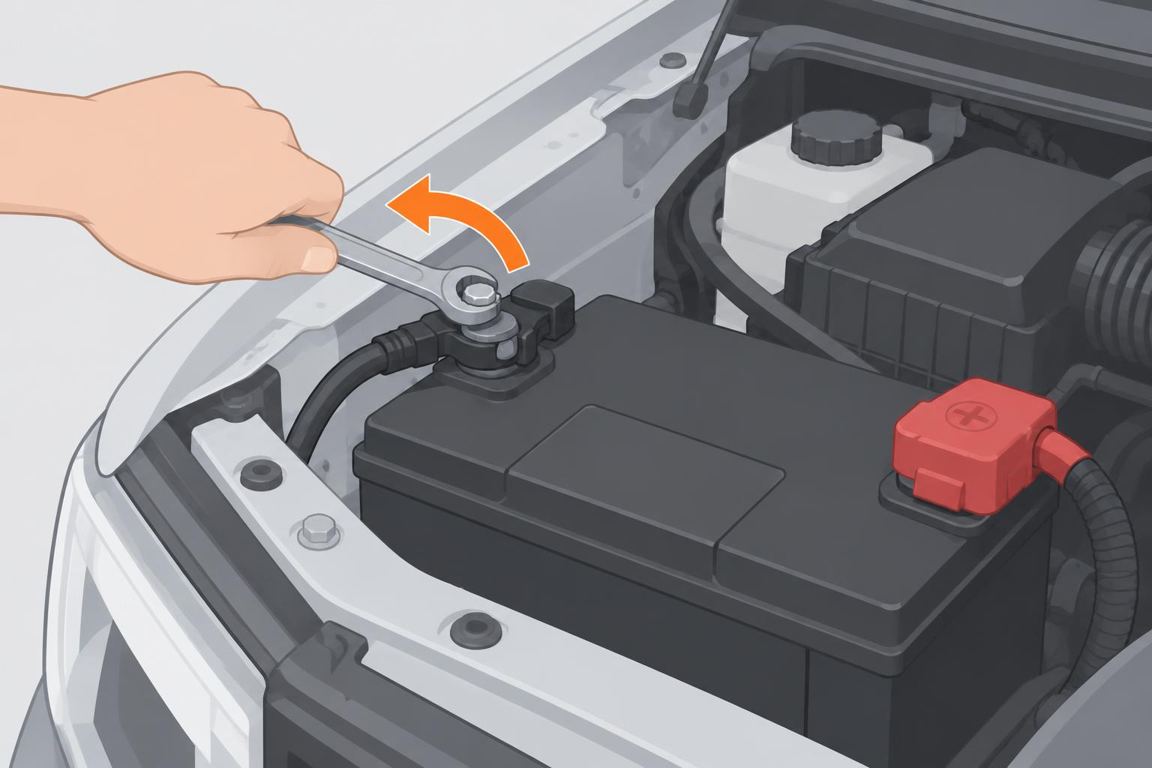
2Disconnect the negative (–) terminal

Disconnect the negative (–) terminal

Loosen the black terminal nut and lift the cable off. On trucks with a battery monitoring sensor, disconnect at the clamp, not the sensor plug.
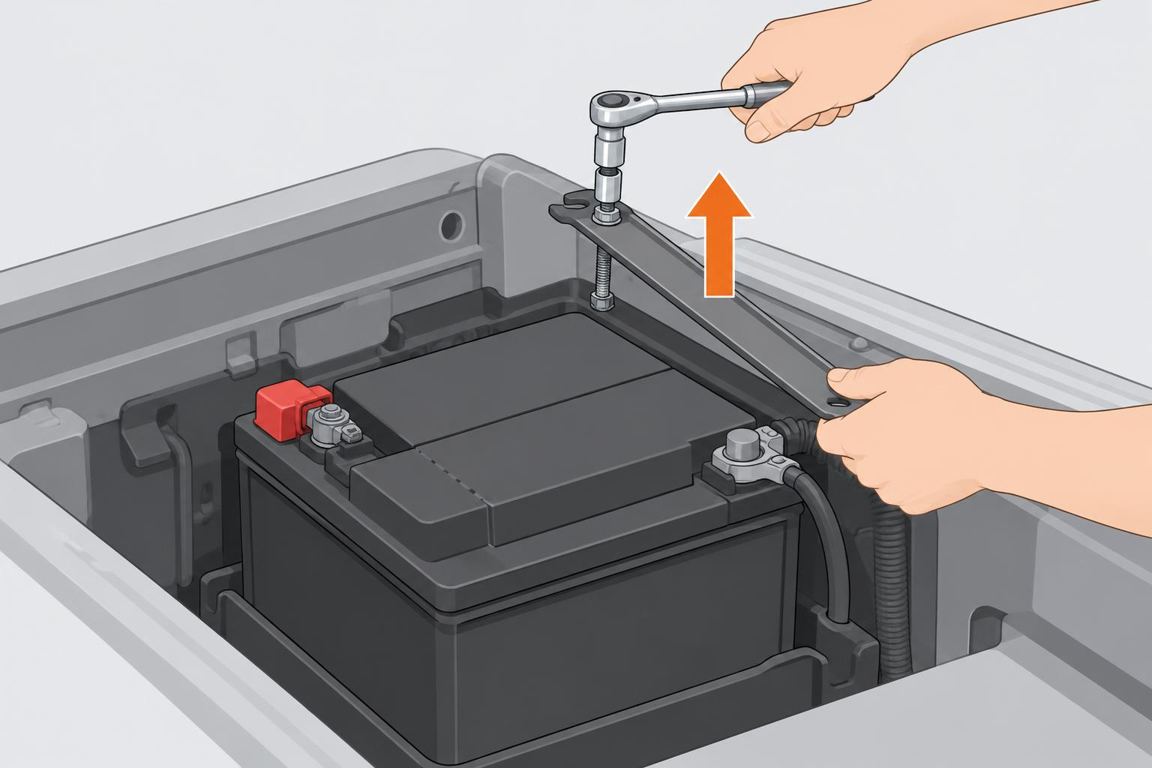
3Disconnect positive and remove the hold-down

Disconnect positive and remove the hold-down

Remove the red terminal, then unbolt the hold-down bar with a socket and extension.
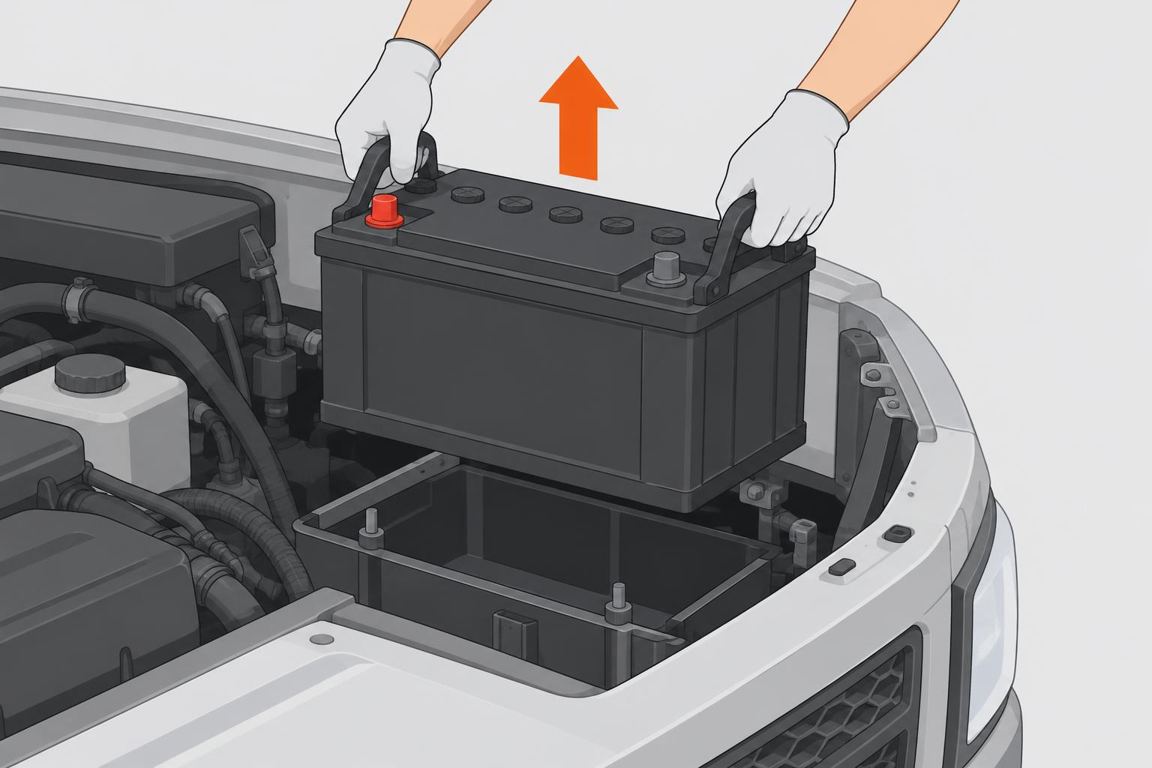
4Lift out the old battery

Lift out the old battery

Truck batteries are heavy (40–55 lb). Lift straight up with both hands.
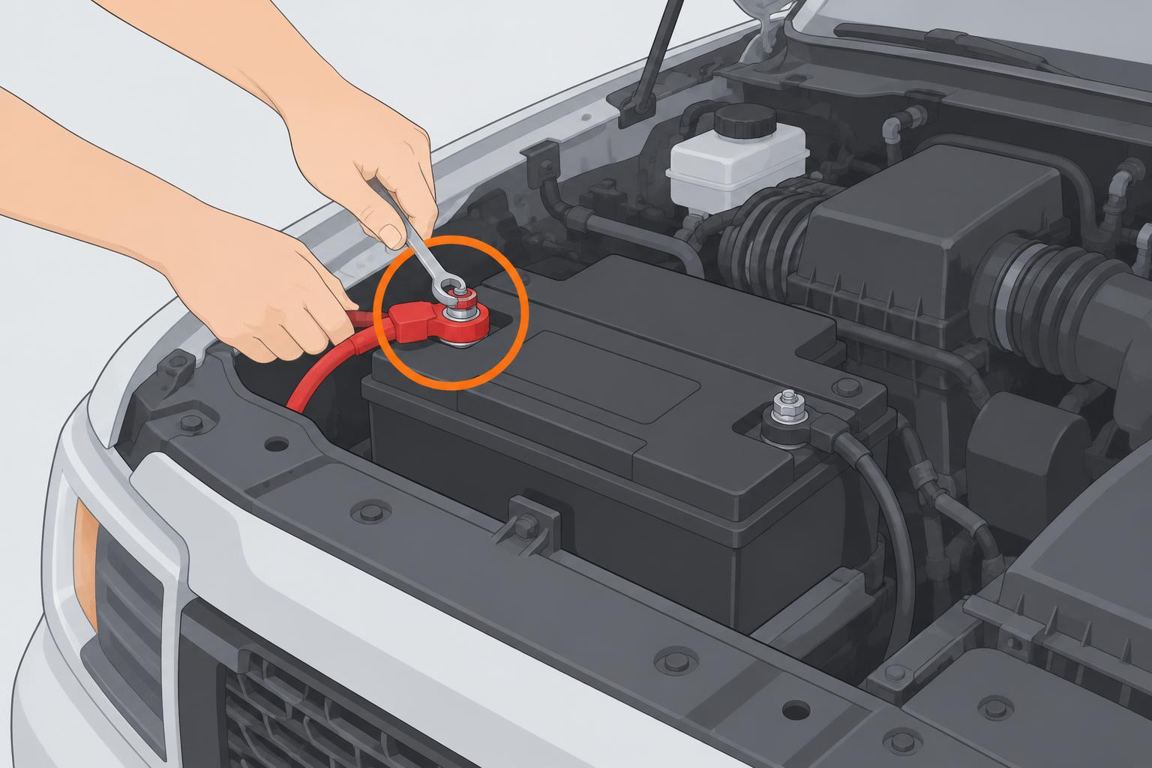
5Install the new battery

Install the new battery

Seat it the same way, refit the hold-down, connect positive first, negative last, and tighten both clamps.

Ask RepairAI

Share a photo or describe the issue. Get guidance for your next step.

Log in

Troubleshooting

"Battery saver" or charge warnings after the swapFord's battery monitoring system (BMS) needs to relearn. Many trucks relearn after the truck sits locked for ~8 hours; a shop scan tool can reset it right away.Auto Start-Stop doesn't workNormal until the BMS relearns, or the battery isn't AGM.Still slow to crankHave the alternator and cables checked — record the start-up sound for a diagnosis.

FAQ

Which battery does my F-150 take?It depends on engine and options. Check the old battery's label or use a parts-store lookup by VIN.Do I need to reset anything?Often the BMS, as above. Radio presets and the clock may reset.

General guidance only. Procedures vary by year, engine and trim; if unsure, consult a qualified mechanic or your owner’s manual.