

Home › Free guides › iPhone (or Phone) Won't Charge? How to Fix It
FREE REPAIR GUIDE

iPhone (or Phone) Won't Charge? How to Fix It

Fix a phone that won't charge: test the cable and adapter, clean the charging port safely, and reset.

iPhone (or Phone) Won't Charge? How to Fix It repair area
DIFFICULTYVery easy
ESTIMATED TIME5–15 min
TOOLSWooden toothpick, flashlight
POTENTIAL SAVINGS$50–100Labour estimate · varies

Know what you’re replacing.

Most charging problems are a damaged cable, a weak adapter, or pocket lint packed into the charging port. Clean the port gently before paying for a repair — it fixes a surprising number of phones.

What you’ll need.

Certified charging cableUSB-C or Lightning, MFi certified · ~$15
View on Amazon →
20W USB-C power adapter~$19
View on Amazon →

As an Amazon Associate, RepairAI may earn from qualifying purchases. Check that parts fit your exact model before buying.

A little preparation first.

  • Back up your phone if you can.
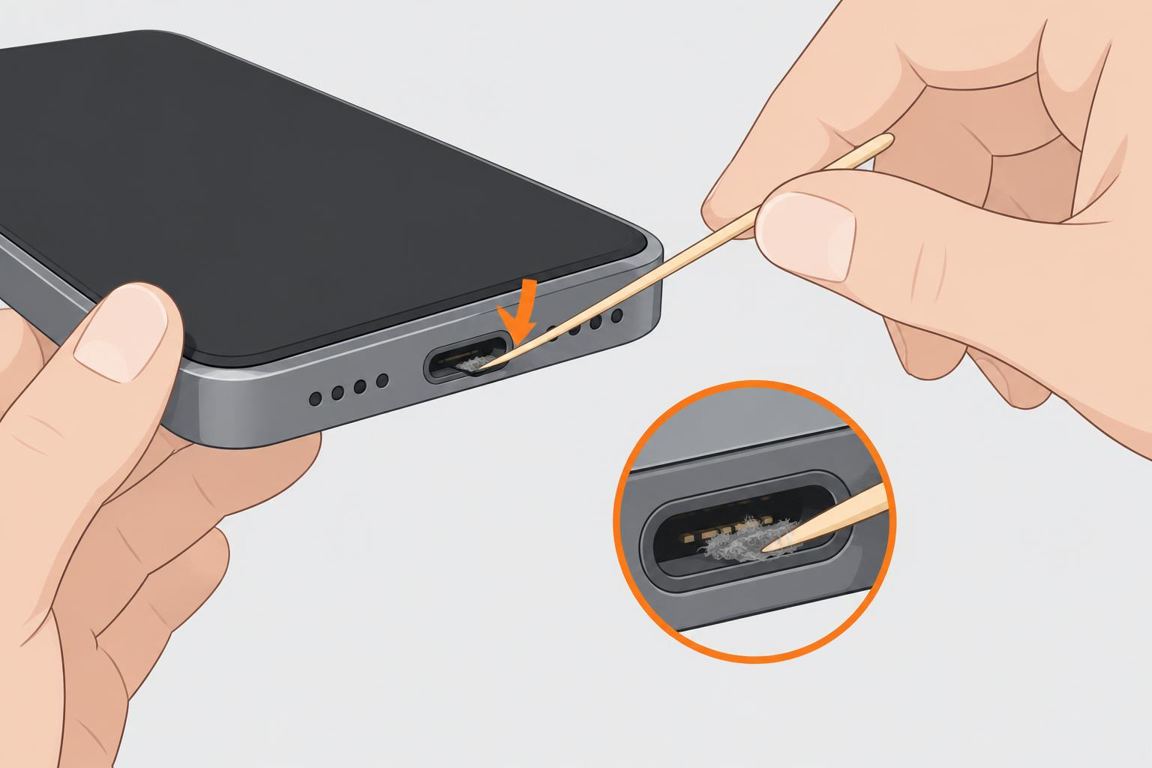
  • Never use metal (pins, needles) in the port, and don't blow into it.

One step at a time.

1Try another cable and adapter
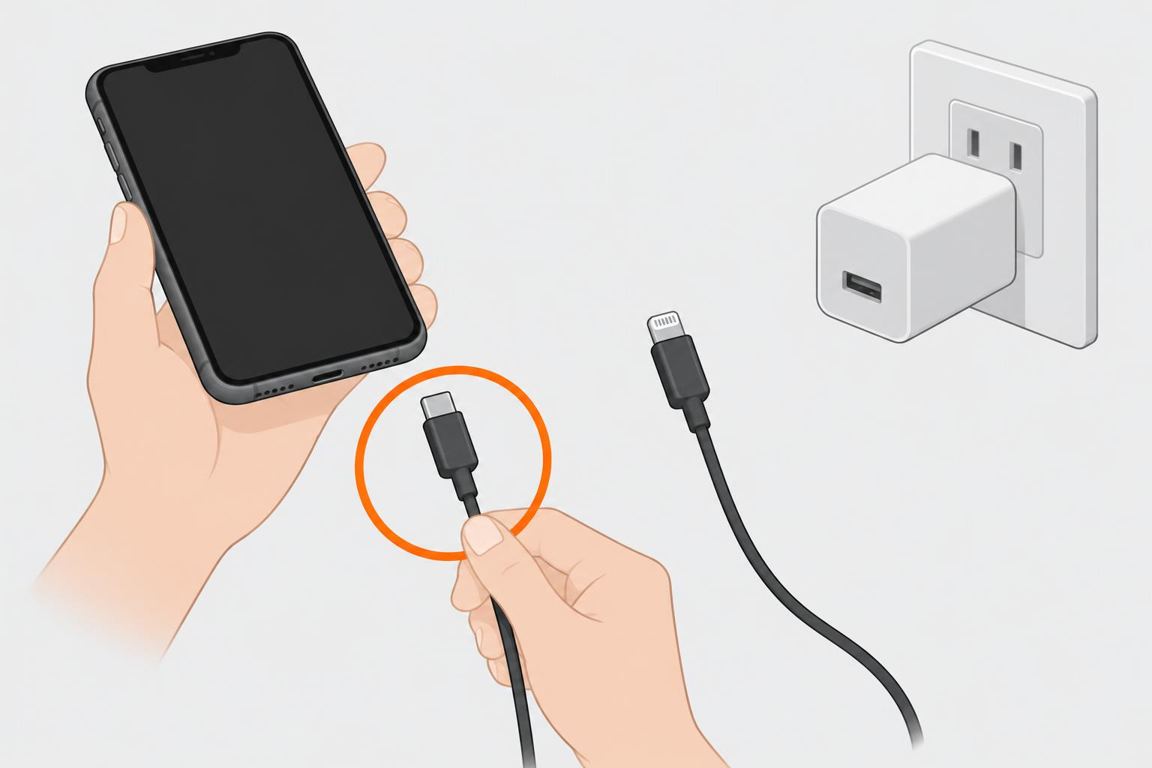
Try another cable and adapter

Test with a different cable, adapter and outlet. Look for frayed or bent connectors.
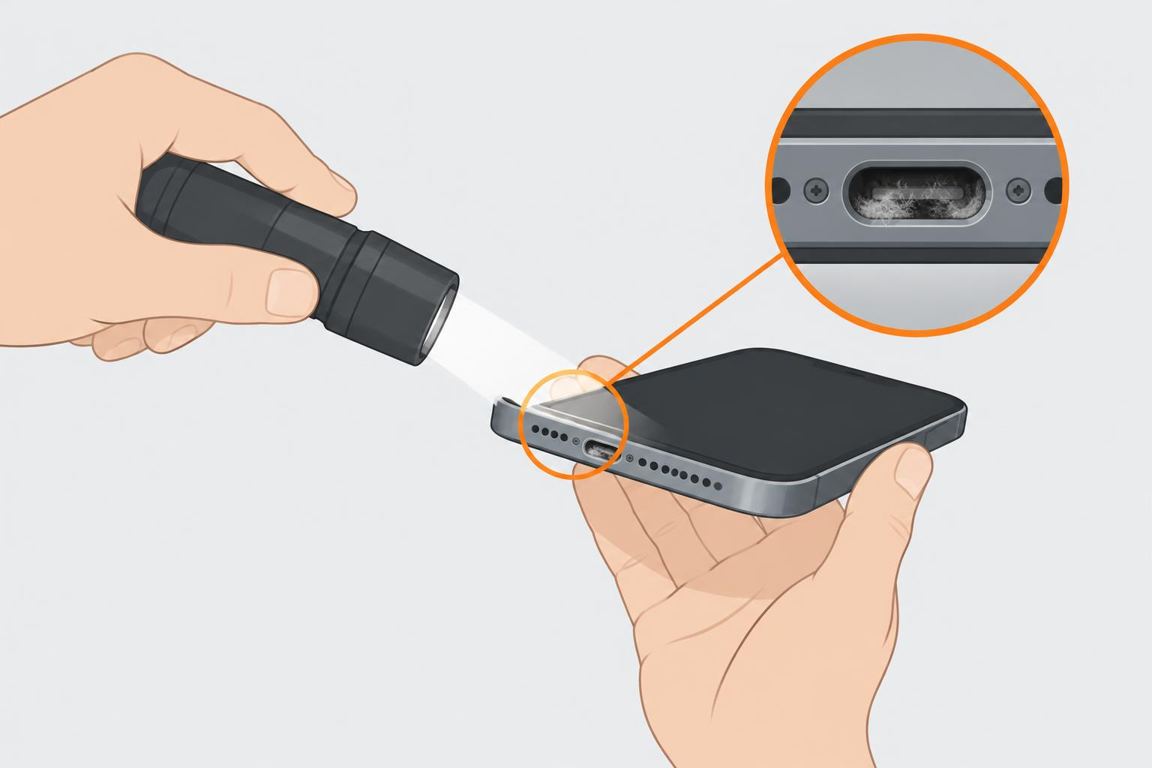
2Inspect the port

Inspect the port

Shine a light into the port. Packed lint often stops the cable from seating fully.
3Clean it gently

Clean it gently

Power off and gently scrape lint out with a wooden toothpick along the sides. Don't press on the pins.
4Force restart

Force restart

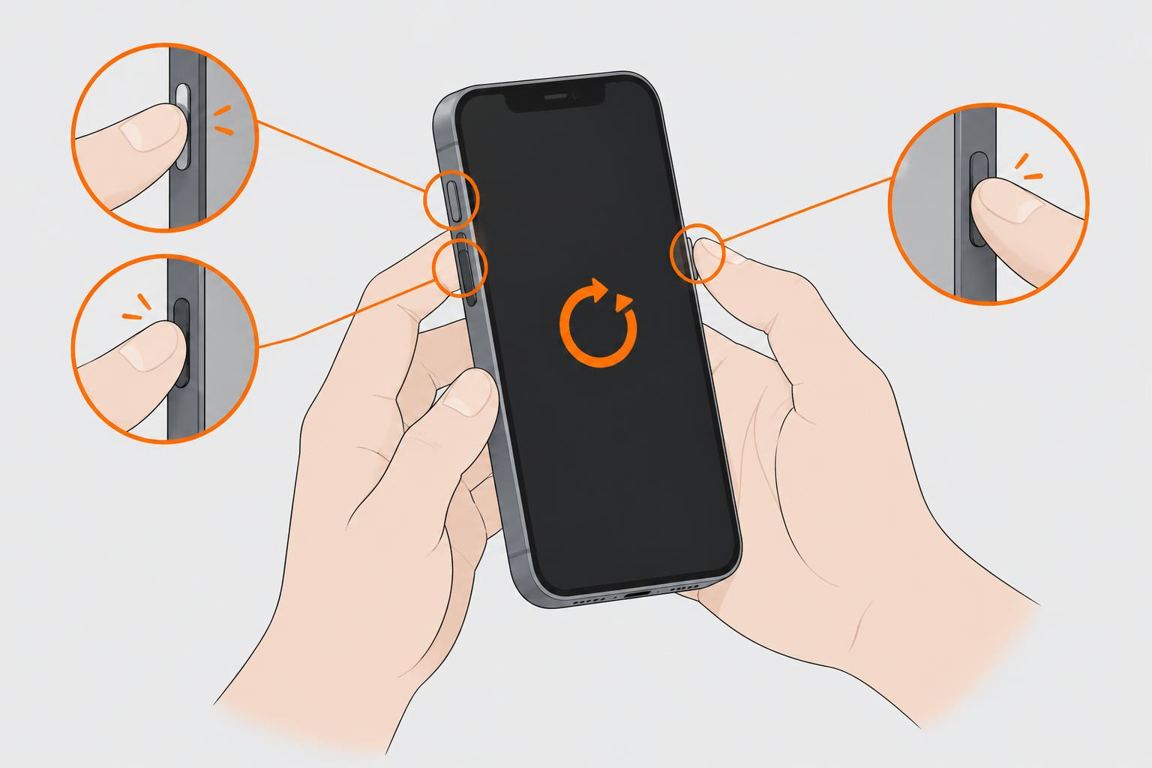
Force restart the phone (on iPhone: volume up, volume down, then hold the side button until the logo).
5Charge for 30 minutes

Charge for 30 minutes

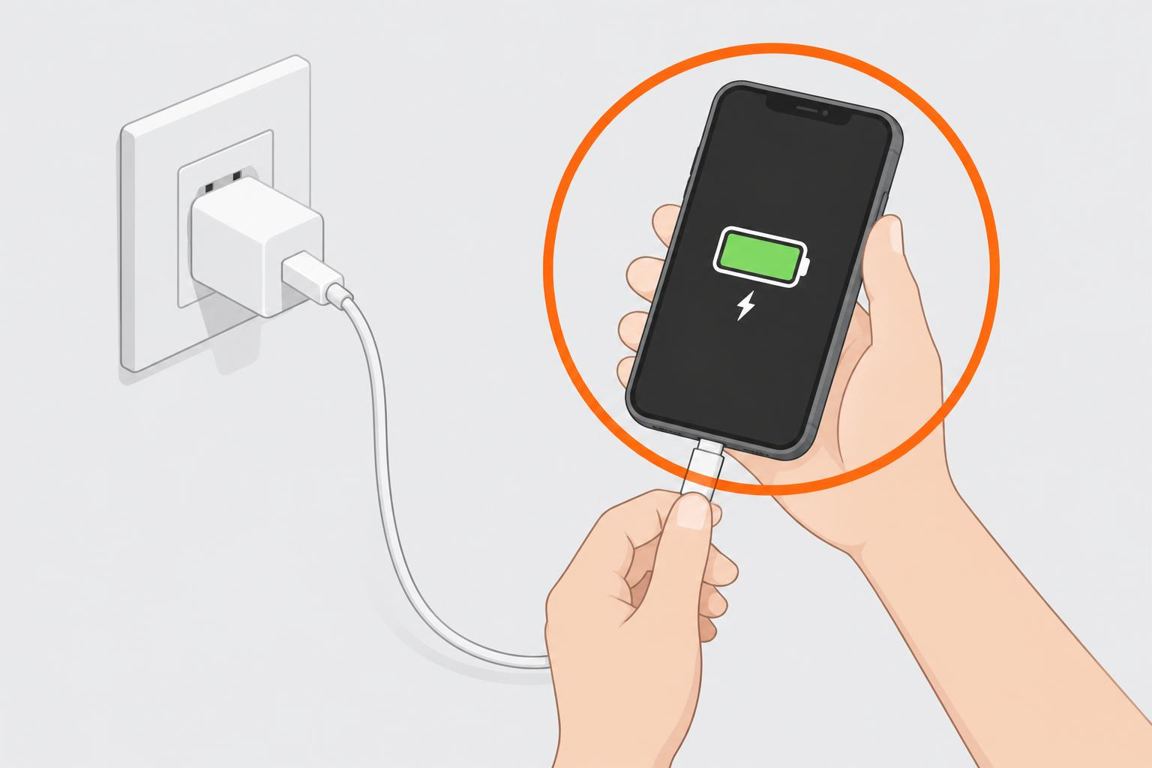
Leave it on the charger for 30 minutes — a fully drained battery may not show a sign of life at first.

Ask RepairAI

Share a photo or describe the issue. Get guidance for your next step.

Log in

Troubleshooting

Charges only at an anglePort is worn or still packed; clean again or have it repaired.'Accessory not supported'Cable isn't certified or is damaged.Phone very hotUnplug it and let it cool; avoid charging under pillows.Battery swollen or screen liftingStop charging and using it, and don't press or puncture it. Have it repaired by a qualified shop.

FAQ

Is a port repair expensive?Often $50–100 at a shop, more for some models.Compressed air?Apple advises against compressed air; a wooden toothpick is gentler.

General guidance only. Turn off power, water or gas before you work and follow the manufacturer’s instructions; if unsure, call a qualified professional.